
 支持我
支持我


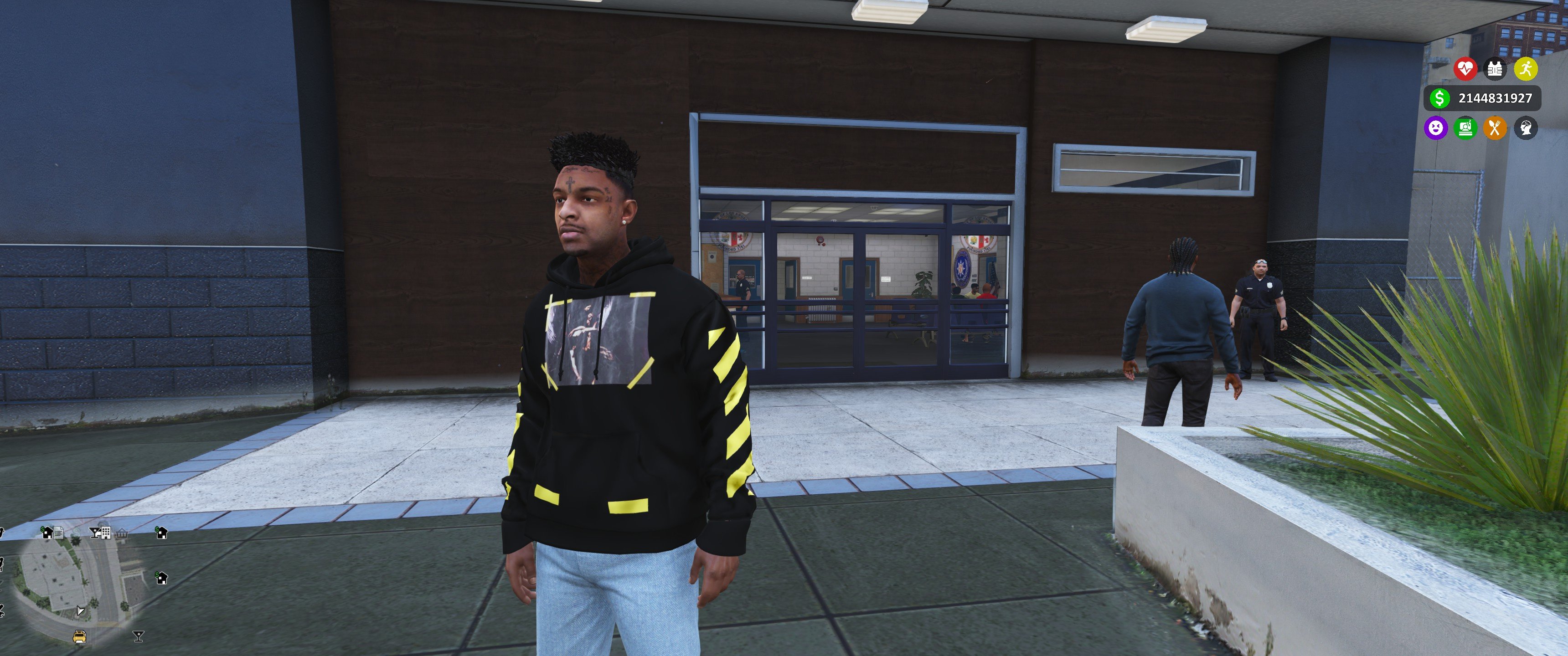
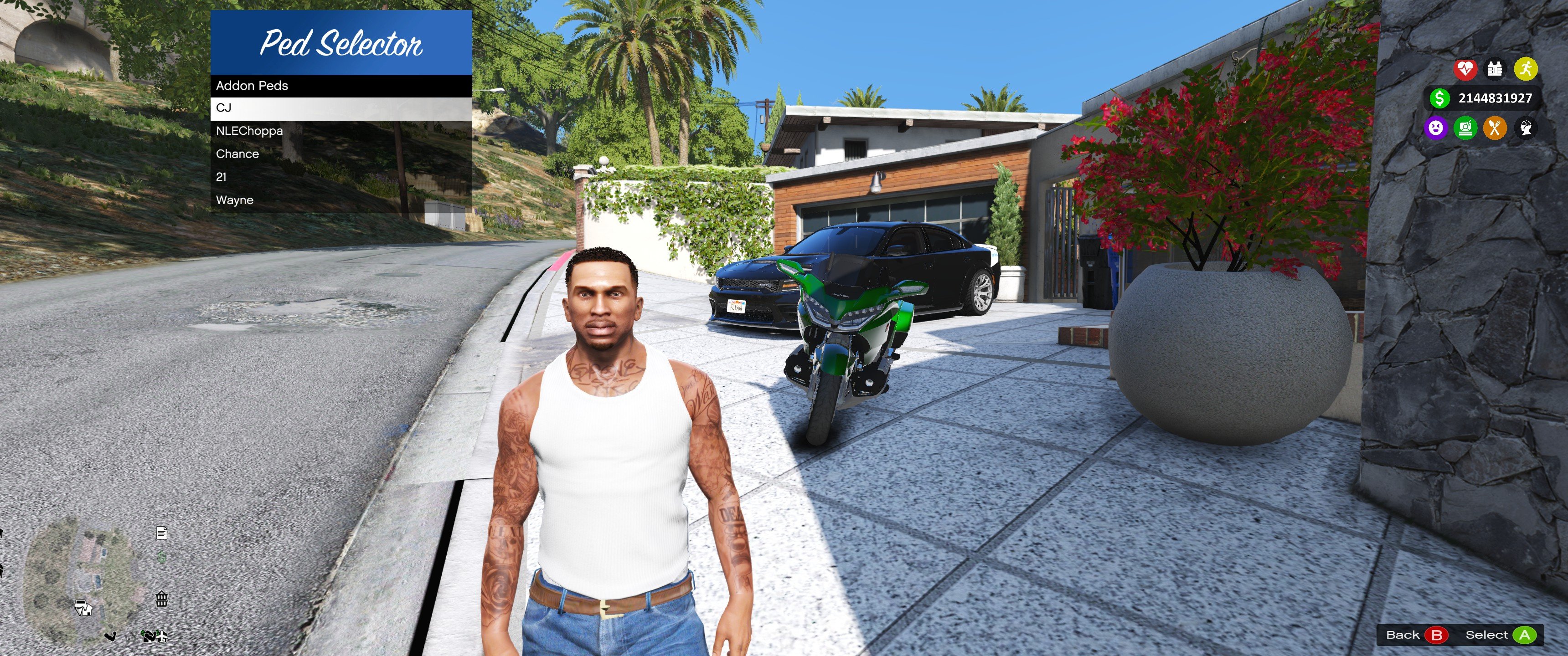
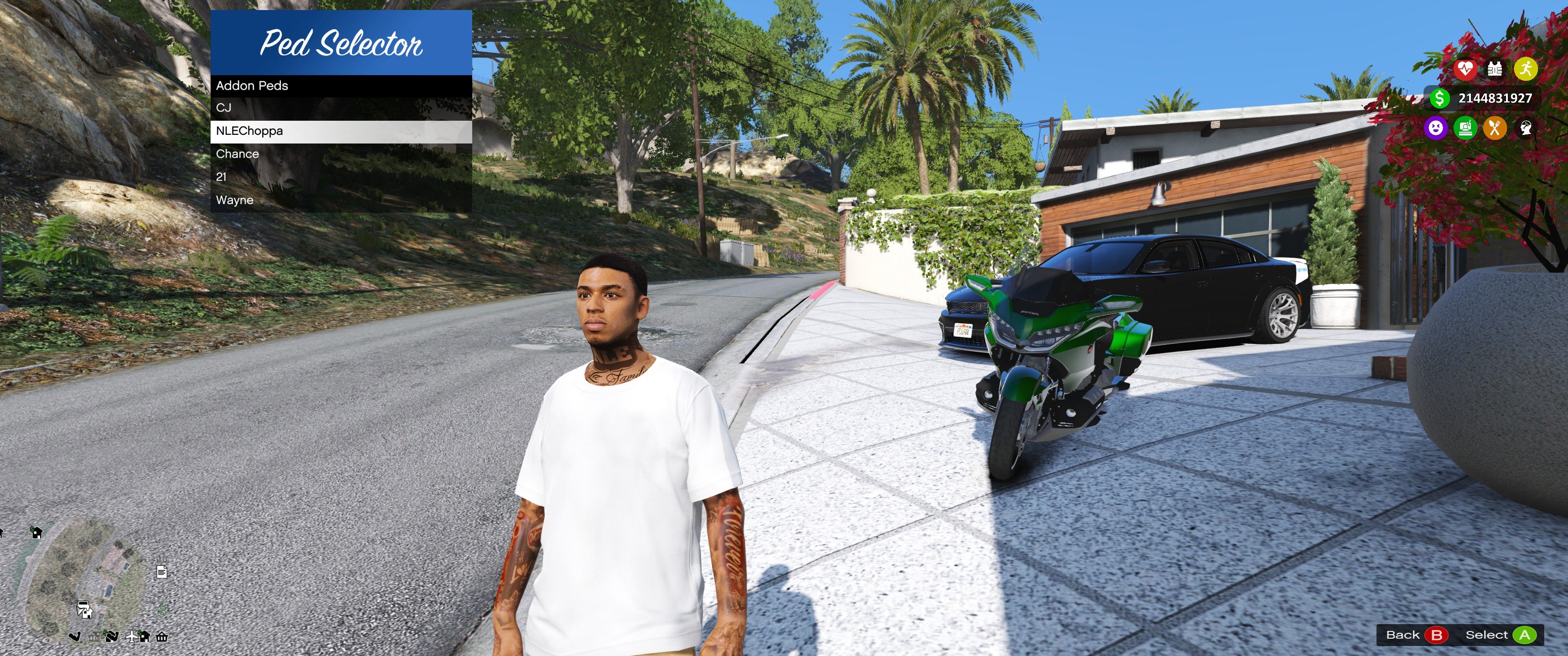
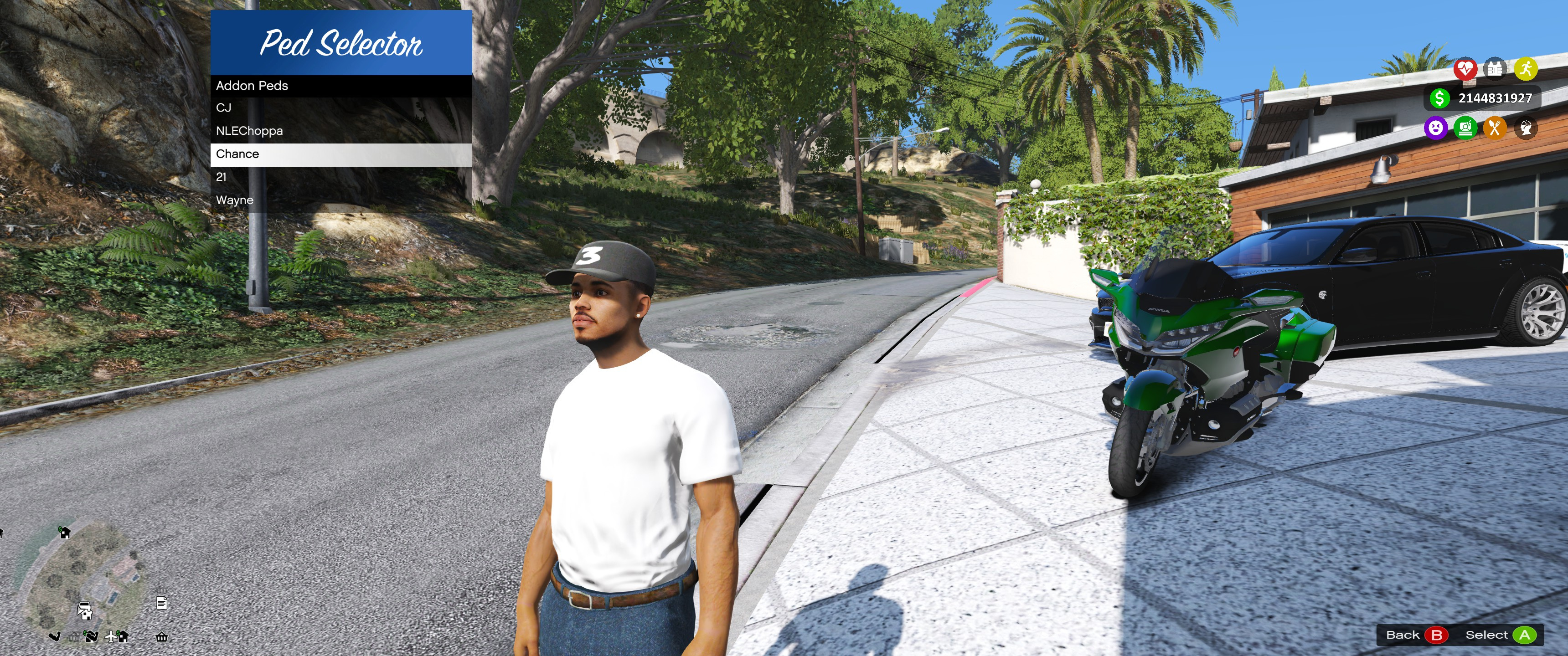







143,800
364
143,800
364
- Fix Fall Damage and Death Now if you die while using any Add-on ped or any NPC peds you will revert back to Micheal then the script will automatically chnage you back to that NPC or Add-On Peds
- Implement Pedslist for basegame peds
- Warning!!!!! Do not use no animal or fish on dry land make sure use it in water area
Advanced PedSelector & Bodyguard System
A fully dynamic AI companion system for GTA V.
Description
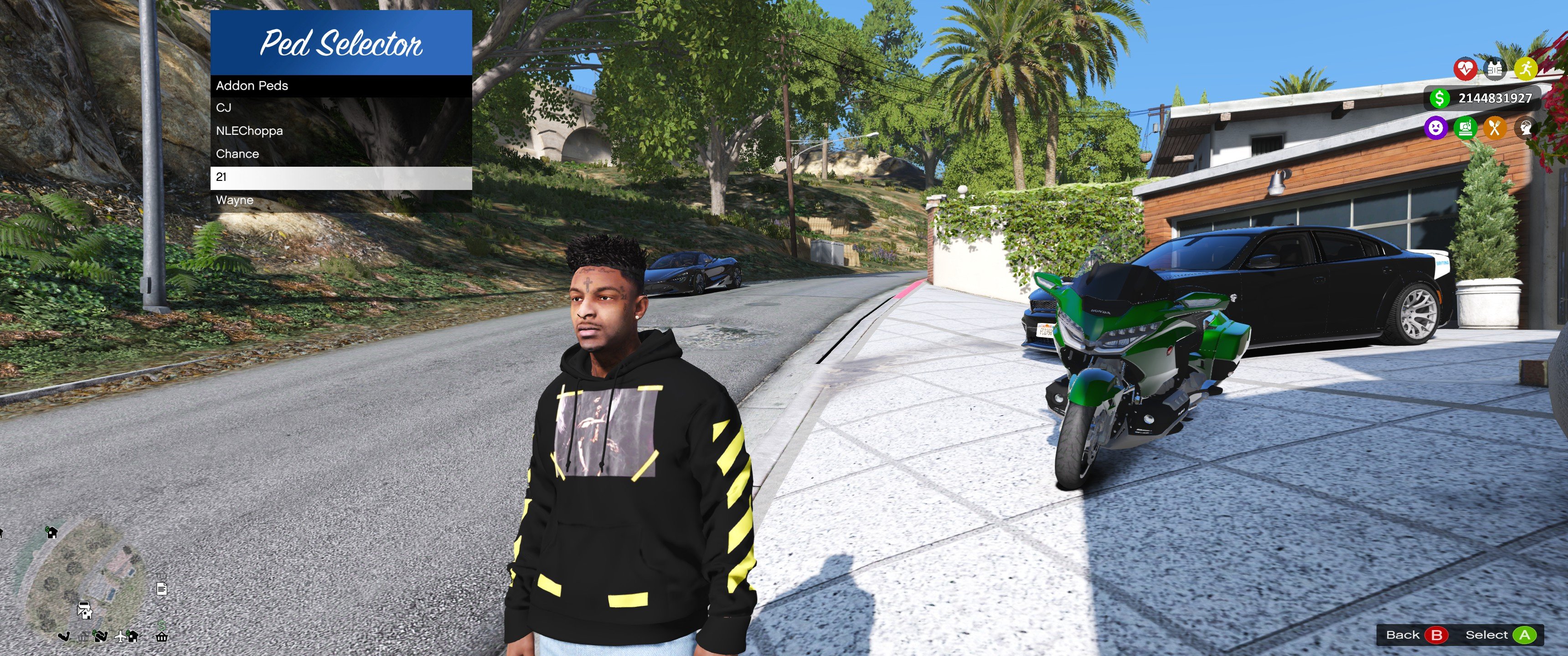
This mod introduces a fully rewrite script fully advanced PedSelector & Bodyguard System that allows you to spawn, control, and customize intelligent AI companions.
Unlike basic followers, these bodyguards operate using a dynamic AI system with real-time decision making, combat logic, and progression mechanics.
This creates a RPG-style companion system inside GTA V, turning bodyguards into fully interactive and evolving characters.
Features
- Advanced AI System
- Real-time enemy detection and combat engagement
- Smart follow system with adjustable distance
- Formation positioning and movement logic
- Command system (follow, hold position, etc.)
- Combat & Behavior System
- Multiple behavior modes (Aggressive, Passive, Stealth)
- Tactical retreat when low on health
- Weapon switching and melee combat logic
- Accuracy, reaction time, and damage scaling
- Advanced combat tracking (kills, damage, headshots, accuracy)
- Class System
- Tank → High durability, slower reactions
- Assassin → Fast reaction, lower defense
- Support → Utility-based perks
- Specialist → High accuracy bonuses
- Brawler → Increased damage over time
- Perks System
- Unique perks per class (Iron Skin, Precision, etc.)
- Stat boosts (health, speed, accuracy, damage)
- Unlockable and scalable abilities
- Progression System
- XP-based leveling system
- Achievements and milestones
- Kill tracking and performance stats
- Loyalty and bond system
- Morale system affecting behavior
- Loadout System
- Custom weapons and equipment
- Armor tiers (None, Light, Medium, Heavy, Tactical)
- Health, speed, and strength customization
- Save and reuse custom loadouts
- Ability System
- Super Speed (enhanced movement)
- Super Strength (increased melee force and damage)
- Expandable ability framework
- Vehicle AI
- Automatically enters player vehicle
- Finds available seats dynamically
- Follows player while driving
- Exits vehicle during combat situations
- Relationship System
- Loyalty tracking based on actions
- Bond level progression
- Personality system affecting behavior
- Rival system between bodyguards
- Injury & Recovery System
- Bodyguards can receive injuries
- Recovery timers and healing states
- Performance affected while injured
- AI Customization
- Aggression slider
- Caution slider
- Reaction time tuning
- Accuracy and durability multipliers
- Save & Profile System
- Save bodyguard profiles
- Load saved builds anytime
- Persistent stats and progression
- Detailed Statistics
- Total damage dealt/taken
- Accuracy percentage tracking
- Shots fired vs hits
- Combat sessions won
- Playtime tracking
- Full UI Integration
- LemonUI-based modern menu system
- Easy-to-use interface
- Real-time control and management
Requirements
Installation
- Install all required dependencies
- Extract the mod files
- Move files into your scripts folder
- Launch GTA V
If you don't have a scripts folder, create one inside your GTA V directory
Controls
- L → Open Menu
- M → Move Menu
- F5 → Reload Config
Controls can be changed in the config file
Configuration (INI)
- BodyguardFollowDistance → Follow distance
- BodyguardDefaultHealth → Starting health
- BodyguardDamageMultiplier → Damage scaling
- BodyguardMaxCount → Max bodyguards
- SuperSpeedValue → Speed ability
- SuperStrengthValue → Strength ability
Important
- This mod requires a legal copy of GTA V
- Cracked or pirated versions are NOT supported
- No support will be provided for unofficial game versions
Notes
- May conflict with other AI or companion mods
- Keep dependencies updated
- Designed for stability and performance
首次上传时间: 2024年12月18日
最后更新时间: 2026年05月24日
最后下载: 2分钟前
All Versions
547个评论
More mods by FlareXll:
- 游戏环境
- 角色
4.72
2,330
36
3.0 BETA***
By FlareXll
- 任务
- .Net
5.0
732
23
1.0.0 (Delayed For Enhance Compatibility)
By FlareXll
- Fix Fall Damage and Death Now if you die while using any Add-on ped or any NPC peds you will revert back to Micheal then the script will automatically chnage you back to that NPC or Add-On Peds
- Implement Pedslist for basegame peds
- Warning!!!!! Do not use no animal or fish on dry land make sure use it in water area
Advanced PedSelector & Bodyguard System
A fully dynamic AI companion system for GTA V.
Description
This mod introduces a fully rewrite script fully advanced PedSelector & Bodyguard System that allows you to spawn, control, and customize intelligent AI companions.
Unlike basic followers, these bodyguards operate using a dynamic AI system with real-time decision making, combat logic, and progression mechanics.
This creates a RPG-style companion system inside GTA V, turning bodyguards into fully interactive and evolving characters.
Features
- Advanced AI System
- Real-time enemy detection and combat engagement
- Smart follow system with adjustable distance
- Formation positioning and movement logic
- Command system (follow, hold position, etc.)
- Combat & Behavior System
- Multiple behavior modes (Aggressive, Passive, Stealth)
- Tactical retreat when low on health
- Weapon switching and melee combat logic
- Accuracy, reaction time, and damage scaling
- Advanced combat tracking (kills, damage, headshots, accuracy)
- Class System
- Tank → High durability, slower reactions
- Assassin → Fast reaction, lower defense
- Support → Utility-based perks
- Specialist → High accuracy bonuses
- Brawler → Increased damage over time
- Perks System
- Unique perks per class (Iron Skin, Precision, etc.)
- Stat boosts (health, speed, accuracy, damage)
- Unlockable and scalable abilities
- Progression System
- XP-based leveling system
- Achievements and milestones
- Kill tracking and performance stats
- Loyalty and bond system
- Morale system affecting behavior
- Loadout System
- Custom weapons and equipment
- Armor tiers (None, Light, Medium, Heavy, Tactical)
- Health, speed, and strength customization
- Save and reuse custom loadouts
- Ability System
- Super Speed (enhanced movement)
- Super Strength (increased melee force and damage)
- Expandable ability framework
- Vehicle AI
- Automatically enters player vehicle
- Finds available seats dynamically
- Follows player while driving
- Exits vehicle during combat situations
- Relationship System
- Loyalty tracking based on actions
- Bond level progression
- Personality system affecting behavior
- Rival system between bodyguards
- Injury & Recovery System
- Bodyguards can receive injuries
- Recovery timers and healing states
- Performance affected while injured
- AI Customization
- Aggression slider
- Caution slider
- Reaction time tuning
- Accuracy and durability multipliers
- Save & Profile System
- Save bodyguard profiles
- Load saved builds anytime
- Persistent stats and progression
- Detailed Statistics
- Total damage dealt/taken
- Accuracy percentage tracking
- Shots fired vs hits
- Combat sessions won
- Playtime tracking
- Full UI Integration
- LemonUI-based modern menu system
- Easy-to-use interface
- Real-time control and management
Requirements
Installation
- Install all required dependencies
- Extract the mod files
- Move files into your scripts folder
- Launch GTA V
If you don't have a scripts folder, create one inside your GTA V directory
Controls
- L → Open Menu
- M → Move Menu
- F5 → Reload Config
Controls can be changed in the config file
Configuration (INI)
- BodyguardFollowDistance → Follow distance
- BodyguardDefaultHealth → Starting health
- BodyguardDamageMultiplier → Damage scaling
- BodyguardMaxCount → Max bodyguards
- SuperSpeedValue → Speed ability
- SuperStrengthValue → Strength ability
Important
- This mod requires a legal copy of GTA V
- Cracked or pirated versions are NOT supported
- No support will be provided for unofficial game versions
Notes
- May conflict with other AI or companion mods
- Keep dependencies updated
- Designed for stability and performance
首次上传时间: 2024年12月18日
最后更新时间: 2026年05月24日
最后下载: 2分钟前
 5mods on Discord

Hi guys sorry i been away for a while so no updateds have been done on either or my modds i will be updating soon tho i just been busy with other projects atm but these will be update soon
@cardibdruggedme latest version on patreon no payment needed
@FLAREXII THANKS
where my oiv
Io non riesco a saltarci fuori, ho scaricato anche la mod da patreon appena entro in gioco premo L è il menù va, però appena seleziono il ped da spwaunare non va non appare, poi riprovo a premere L per riaprire il menù è non va...cosa bisogna fare? Grazie
is it like character swap where you have everything ferom a protagonist but your using a different model
I can get the mod to work but if I include the "pedselector" folder in the dlclist.xml file the game will crash when I try to load the game. What have I possibly done wrong? I'm playing on the Legacy version.
Okay by removing a few addon peds now the game won't crash anymore, though it would be nice to know if there is a hard-coded limit for how many addon peds can be installed.
Very good mod, thanks. A suggestion: you could improve the menu style.
@FlareXll Hi, can you make this compatible with Script Hook Enhanced? Keep up the great work.
Some helpful advice for all you modders out there trying to get this to work...
1.) This does not work with Script Hook V Enhanced (I wish it did)..you have to use the newest Script Hook Nightly instead.
2.) There is a hard limit to how many add-on peds you can install in total (I'm afraid I don't know what that limit is; still figuring this out. I'm starting on just 1 ped at a time).
3.) Also I changed my gameconfig from F7YO to 5x peds & 5x traffic...maybe that has something to with it. My Pool Manager kept crashing and kept stating the cause in gameconfig as unknown
Eventualy This mod did work for me. I hope this saves you guys alot of headache. It's a useful mod once you figure it out.
Good luck kids!👍
My game keep on crahsing.
managed to get this to work somehow... at least the adding ped models part. I can't. for the life of me, open up the menu.
Using the latest one from your patreon btw.
Hi, I've watched a lot of video tutorials about this mod. Now I have a small question: in the pictures of this mod there is a picture of some new menu and an image of BodyGuards and how to fire these bodyguards. Honestly, because there is no longer Addon Peds Mod, it is now powatmane
Someone know how to fix this error ? Failed to instantiate script PedSelector.PedSelector because constructor threw an exception System.MissingMethodException Method not found version of mod 1.06 i play on legacy and I did everything as instructed
impressive! followed 3 tutorials, reinstalled gta 2 times, downloaded and followed the tutorial from the patreon and still nothing happens when i press L. Really great exprience so far
hmm, I press "L" but nothing happen :(
doesn't work, i watched 2 tutorials and the tutorial from patreon, still doesn't work.
@Condimentally Try to look for the latest tutorials there, maybe it will be better explained and done
@Pinkjughead01 My Enhanced didn't work sadly.. When I use the latest ScriptHookV Nightly, the game stucks and crashed after loading...
@FlareXll remove SHV from your repository